Security on websites has become a must-have. The Internet’s modern web browser, search engines, and users want websites to use HTTPS (secure) encryption when it comes to transmitting data from the Internet user to the web server. Browsers could show security alerts if a site is not using SSL/TLS encryption.
AlmaLinux 10 has one of the best and most affordable methods to enable HTTPS: the use of Let’s Encrypt SSL certificates. Let’s Encrypt is a free, automated, and trustworthy certificate authority, designed to make it easier for website owners to obtain industry-standard certificates.
This step-by-step guide will teach you to install and configure Let’s Encrypt SSL certificates in both Apache and NGINX web servers on AlmaLinux 10. You will also learn how to automate SSL certificate renewals, how to enhance the security of your website, and how to follow modern Linux web hosting best practices.
Table of Content
- Why SSL Certificates Are Important
- What Is Let’s Encrypt?
- How to Secure Apache/NGINX with Let’s Encrypt SSL on AlmaLinux 10
- How to Secure Apache with Let’s Encrypt SSL
- How to Secure NGINX with Let’s Encrypt SSL
- How to Test SSL Certificate Health
- How to Configure Automatic SSL Renewal
- Verify HTTPS Redirection
- Why HTTPS Improves SEO and User Trust
- Conclusion
Why SSL Certificates Are Important
An SSL certificate is used to secure data that is transferred between the site and its users. This encryption will keep hackers from accessing sensitive data like session cookies, payment data, and personal information, as well as login information.
There are several advantages to implementing HTTPS other than security. Search engines consider HTTPS as a ranking factor, and secure websites tend to have better rankings. HTTPS can also help build trust with visitors, fulfill compliance needs, and guard the website’s reputation.
In the modern era, SSL certificates are vital for the following reasons:
- Website security
- HTTPS encryption
- Search engine optimization
- User trust and credibility
- Data protection
- Regulatory compliance
- Secure online transactions
As HTTPS is now regarded as a web security standard for production websites, any production site should be using a valid SSL certificate.
What Is Let’s Encrypt?
Let’s Encrypt is a free certificate authority providing SSL/TLS certificates for websites and web applications. It automates the generation, installation, validation, and renewal of certificates.
Let’s Encrypt is free and is compatible with most web browsers and operating systems, compared to traditional SSL providers, which typically offer annual fees.
Let’s Encrypt certificates are valid for:
- Google Chrome
- Mozilla Firefox
- Microsoft Edge
- Apple Safari
- Android devices
- Linux operating systems
Let’s Encrypt has emerged as the most popular SSL certificate provider in the world due to its automation and popularity.
Prerequisites
Before installing Apache/nginx with Let’s Encrypt SSL on AlmaLinux 10, the following requirements must be satisfied:
You will need to have an AlmaLinux 10 server with root or sudo access, a registered domain name, the domain name properly configured with DNS records pointing to your server’s IP address, and either of the following installed and running: Apache or NGINX.
Before proceeding, update system packages:
sudo dnf update -y |
|---|
Check the correct resolution of your domain:
ping yourdomain.com |
|---|

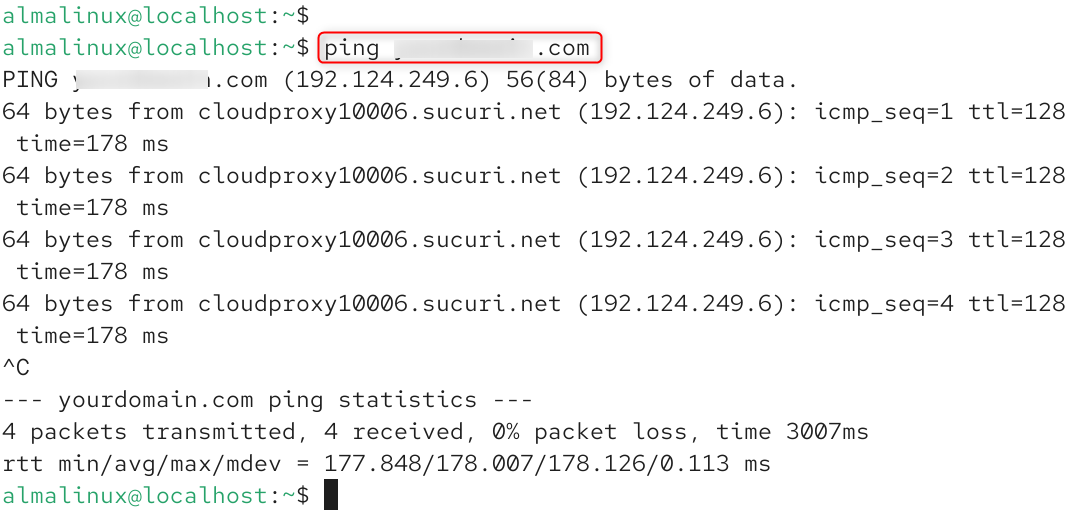
Your domain name should be able to resolve to your server’s public IP address.
How to Secure Apache/NGINX with Let’s Encrypt SSL on AlmaLinux 10
Secure Apache or NGINX on AlmaLinux 10 with Let’s Encrypt SSL using Certbot to provide free SSL encryption for your website, secure data, improve website search engine rankings, and auto-renewal of SSL certificates.
Step 1: Install EPEL Repository
Certbot packages are usually available in the Extra Packages for Enterprise Linux (EPEL) repository.
Install EPEL:
sudo dnf install epel-release -y |
|---|

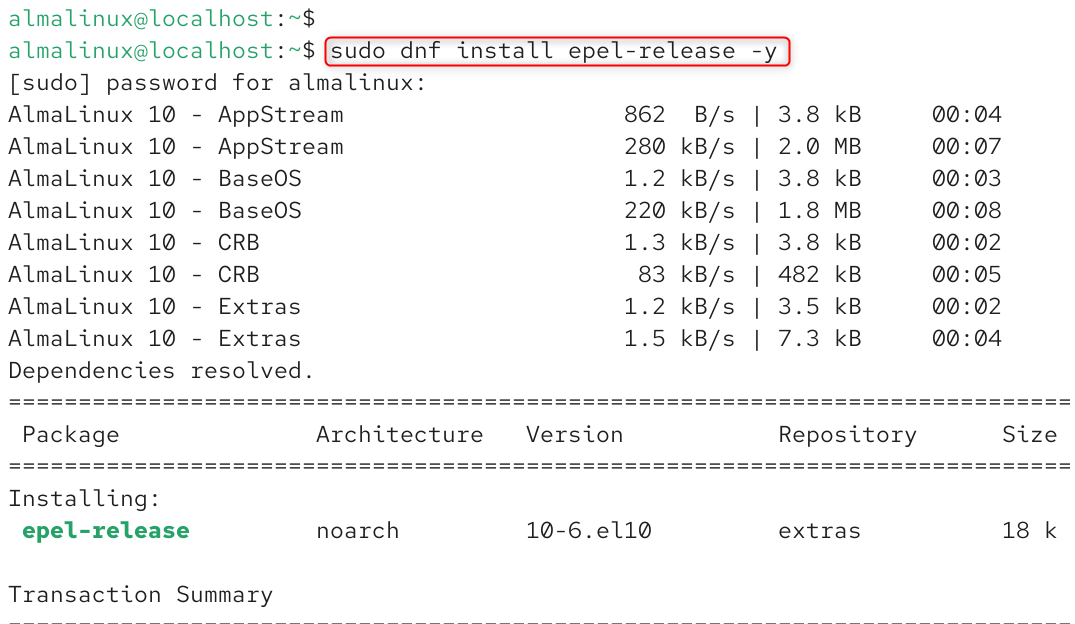
Refresh package metadata:
sudo dnf makecache |
|---|

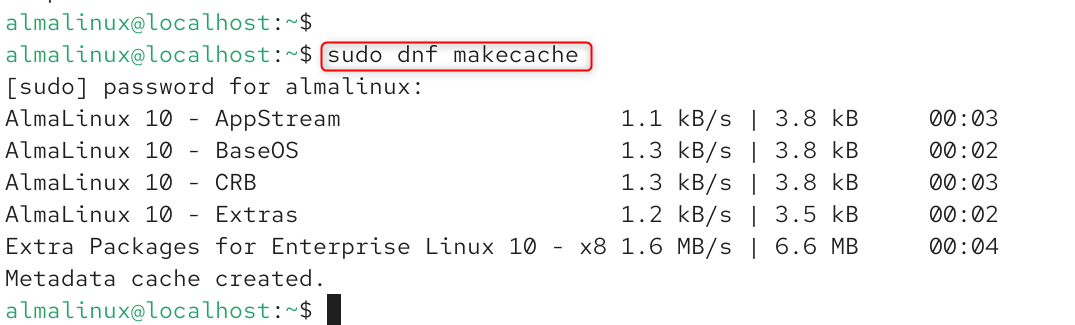
This way, AlmaLinux can install the latest packages and dependencies for Certbot.
Step 2: Install Certbot on AlmaLinux 10
Certbot is the official client to get and handle Let’s Encrypt SSL certificates.
Install Certbot:
sudo dnf install certbot -y |
|---|

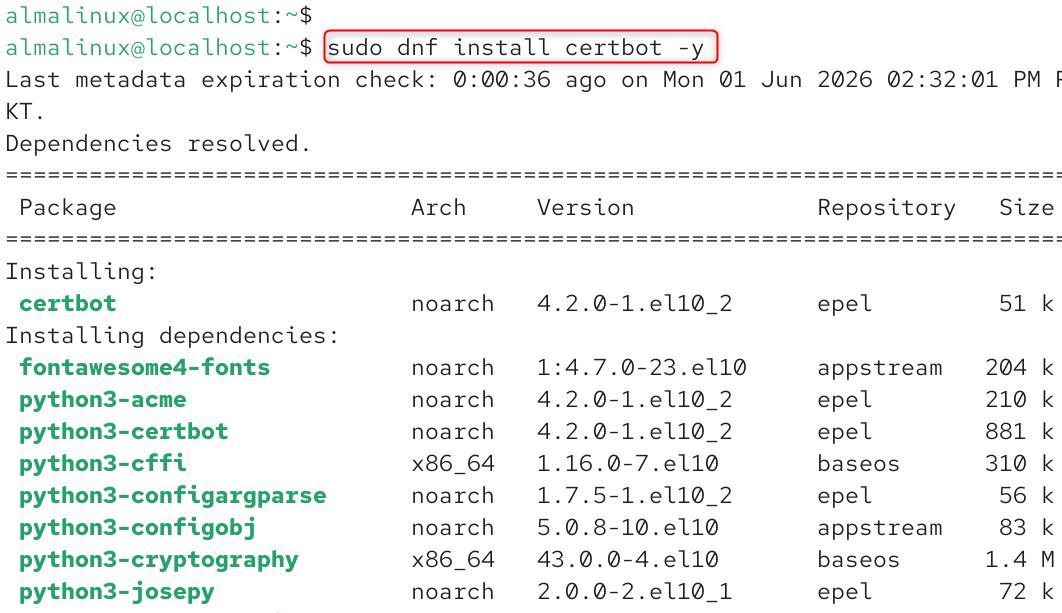
Verify the installation:
certbot –version |
|---|


If the installation is successful, Certbot will be ready to make requests for SSL certificates.
Step 3: Open HTTPS Traffic in the Firewall
Make sure to allow HTTPS traffic in the firewall before requesting certificates.
Allow HTTP traffic:
sudo firewall-cmd –permanent –add-service=http |
|---|


Allow HTTPS traffic:
sudo firewall-cmd –permanent –add-service=https |
|---|


Reload firewall rules:
sudo firewall-cmd –reload |
|---|


Verify active services:
sudo firewall-cmd –list-services |
|---|


You should have HTTP and HTTPS services in the output.
How to Secure Apache with Let’s Encrypt SSL
For Apache web servers, you can use Certbot directly with the web server to automate SSL deployment.
Step 1: Install Apache Certbot Plugin
Install the Apache integration package:
sudo dnf install python3-certbot-apache -y |
|---|

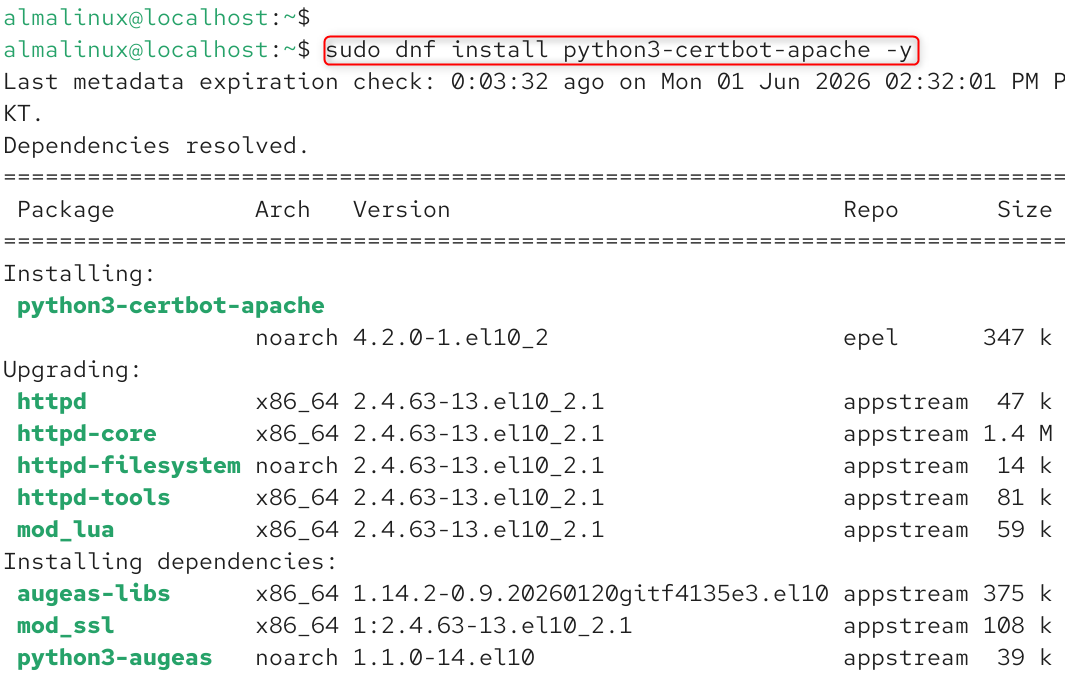
Automatically updates Apache virtual host configuration when installing SSL.
Step 2: Generate an SSL Certificate for Apache
Request and install an SSL Certificate:
sudo certbot –apache |
|---|

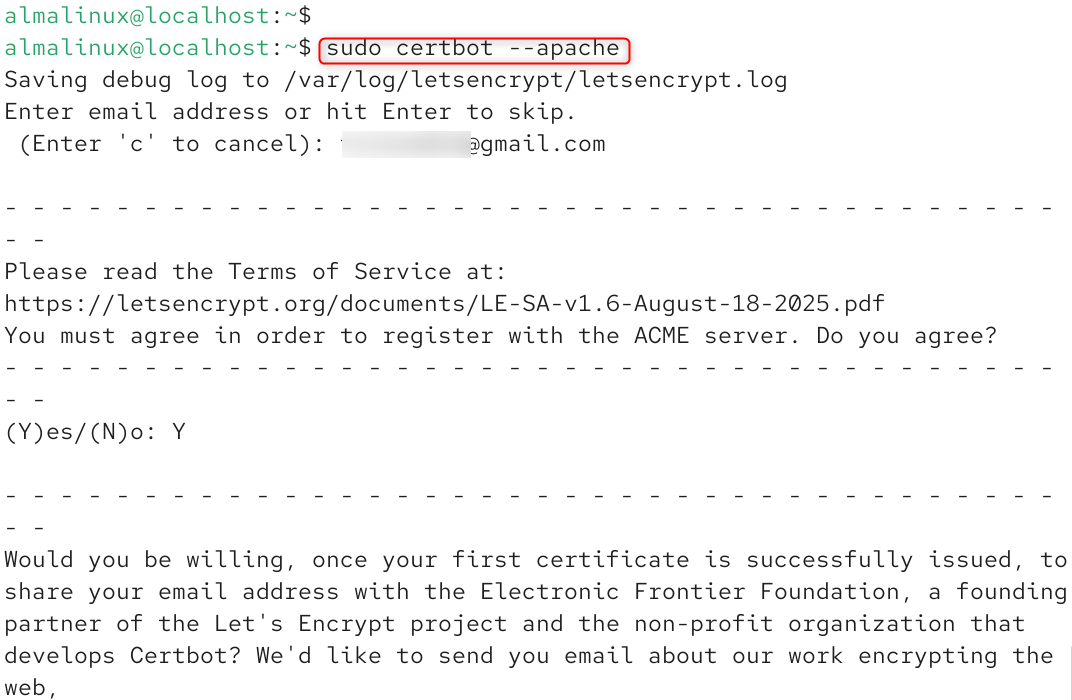
Several actions will be done automatically by Certbot. It proves domain ownership, creates an SSL certificate, installs the certificate, updates the Apache configuration files, and sets up HTTPS redirects if enabled.
In the process, you’ll be required to provide your email, agree to the terms and conditions, and add the domain names you wish to secure.

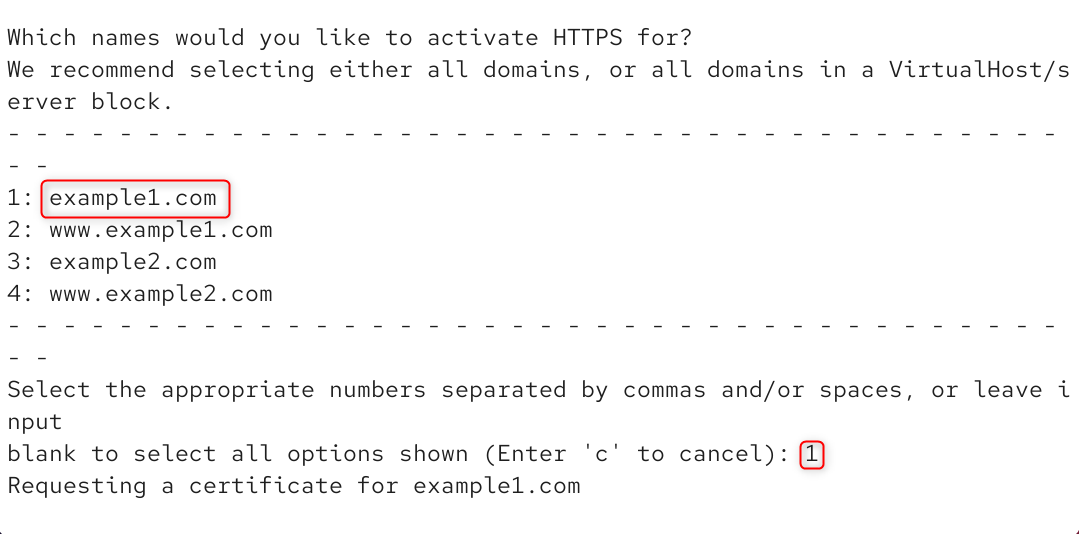
Once successful, Certbot will show you a message saying that HTTPS is now working.
Step 3: Verify HTTPS Configuration
Open the website in a browser:
https://yourdomain.com |
|---|

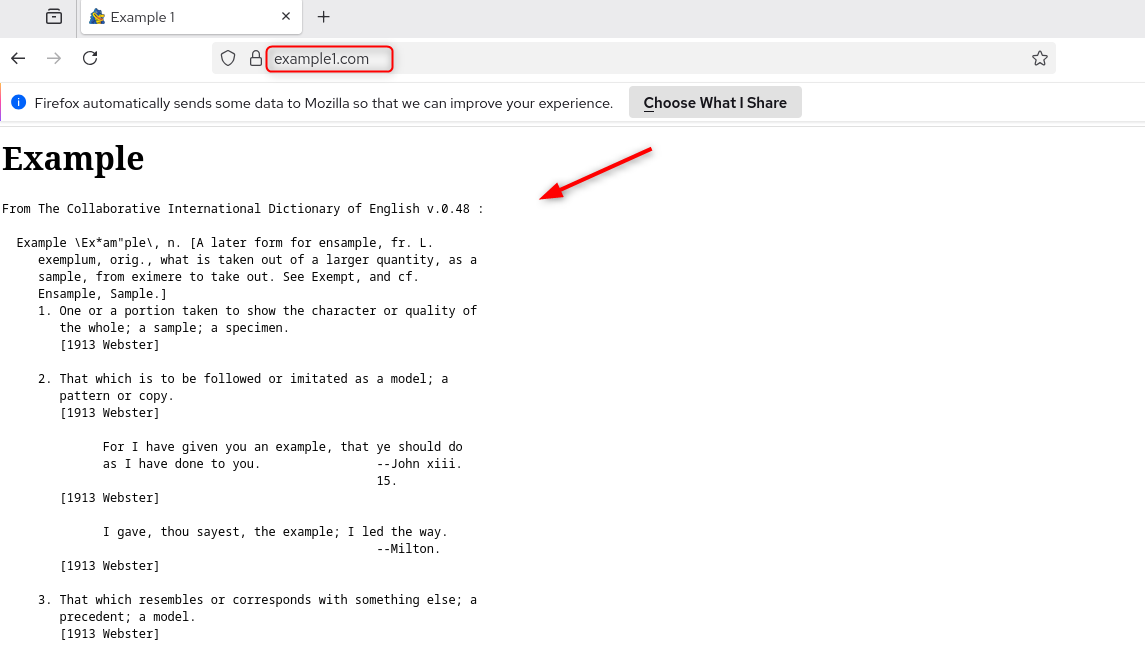
A secure padlock icon should appear in the browser address bar, indicating that SSL encryption is working correctly.
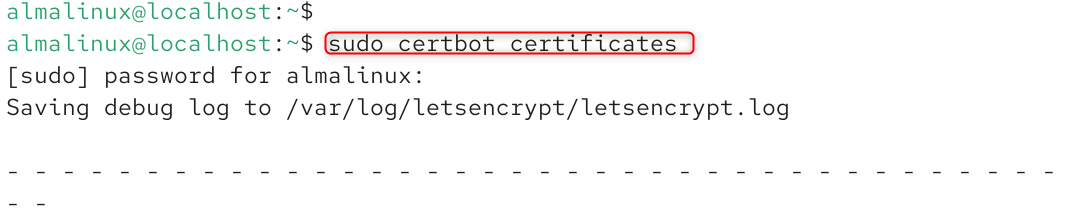
Alternatively, check the certificate information with:
sudo certbot certificates |
|---|

How to Secure NGINX with Let’s Encrypt SSL
For NGINX administrators, Certbot can be used to automate the installation of SSL and the configuration of HTTPS.
Step 1: Install the NGINX Certbot Plugin
Install the required package:
sudo dnf install python3-certbot-nginx -y |
|---|

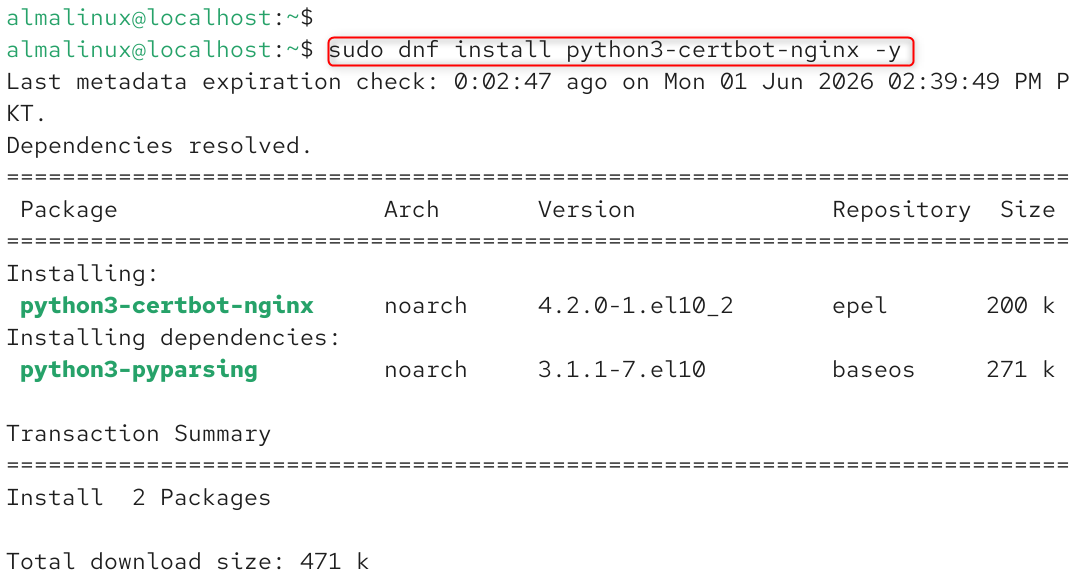
The plugin makes it possible to programmatically update server blocks of NGINX.
Step 2: Generate an SSL Certificate for NGINX
Request the certificate:
sudo certbot –nginx |
|---|

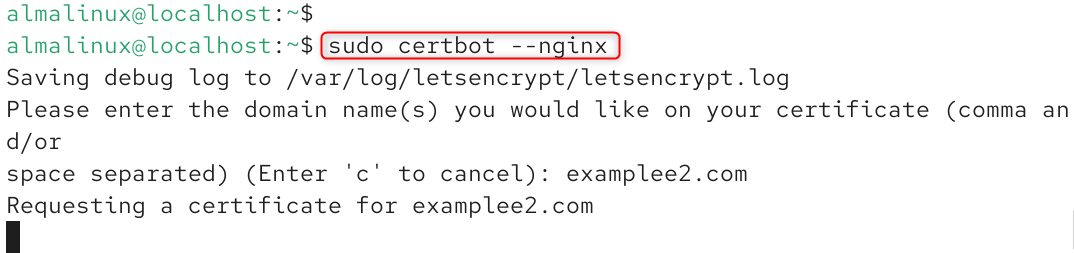
Certbot validates the domain, installs an SSL certificate, updates NGINX configuration files, and can optionally redirect incoming HTTP traffic to HTTPS. Once installed, NGINX starts serving encrypted (HTTPS) traffic.
Step 3: Verify SSL Installation
sudo nginx -t |
|---|


The site should have a secure loading if it’s HTTPS.
How to Test SSL Certificate Health
Using SSL certificates is only one component of website security. Administrators should keep AlmaLinux updated, use strong firewall policies, enable automatic security updates, protect SSH access, and regularly monitor web server logs.
After installation, verify SSL functionality using:
sudo certbot certificates |
|---|


How to Configure Automatic SSL Renewal
Let’s Encrypt certificates are valid for 90 days. Automatic renewal ensures uninterrupted HTTPS protection.
Test renewal functionality:
sudo certbot renew –dry-run |
|---|

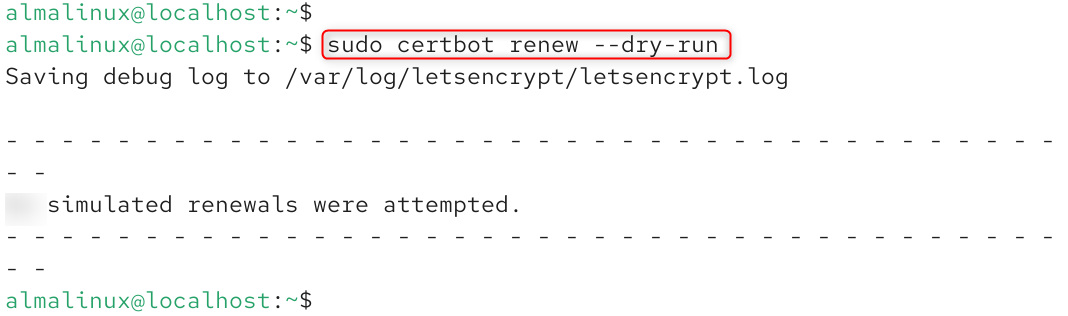
A successful dry run confirms that future renewals will work correctly.
Check the Certbot timer:
systemctl list-timers | grep certbot |
|---|


Modern AlmaLinux systems typically include automatic renewal timers by default. Automated renewal eliminates the need for manual certificate management and reduces the risk of service interruptions.
Verify HTTPS Redirection
Redirecting HTTP traffic to HTTPS ensures all visitors use encrypted connections.
Verify redirection:
curl -I http://yourdomain.com |
|---|

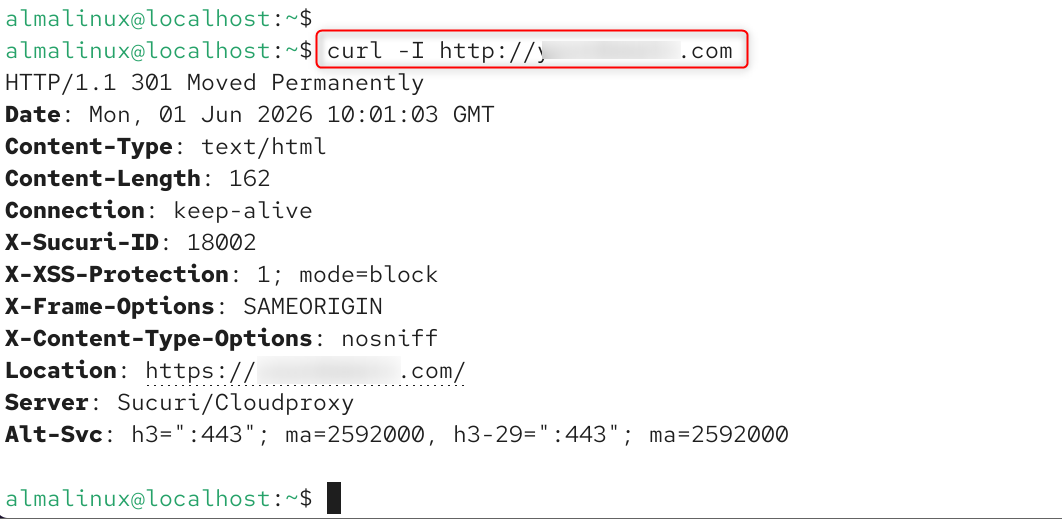
The redirect should point visitors to the HTTPS version of the website. Administrators should also remove unused services, implement strong authentication policies, and maintain regular backups.
Combining HTTPS encryption with server blocks hardening significantly improves website security and reduces exposure to cyber threats.
Why HTTPS Improves SEO and User Trust
Google has consistently emphasized website security as an important ranking factor. HTTPS not only protects user data but also contributes to improved search visibility and visitor confidence.
Websites using HTTPS typically experience higher trust levels because browsers display security indicators instead of warning messages. This positive user experience can improve engagement metrics and support long-term SEO performance.
Secure websites are also more likely to meet modern compliance requirements and industry security standards.
Conclusion
Securing Apache or NGINX with Let’s Encrypt SSL on AlmaLinux 10 is one of the most important steps in building a secure and professional web hosting environment. HTTPS encryption protects user data, strengthens website credibility, improves search engine visibility, and helps meet modern security expectations.
By installing Certbot, configuring SSL certificates, enabling automatic renewal, and enforcing HTTPS redirection, administrators can create a secure and production-ready Linux web server.
Whether you manage a personal blog, business website, eCommerce platform, SaaS application, or enterprise web infrastructure, implementing Let’s Encrypt SSL on AlmaLinux 10 is a fundamental security best practice that should be part of every web deployment.